Getting started
From the invitation to the first check-in.
Seven steps and about 15 minutes. Tick each one as you finish it: your progress is saved in this browser.
The panel is in Spanish for now, so the labels below are quoted as they appear on screen. Your guests get their check-in in seven languages.
0 of 7 done
Just once
-
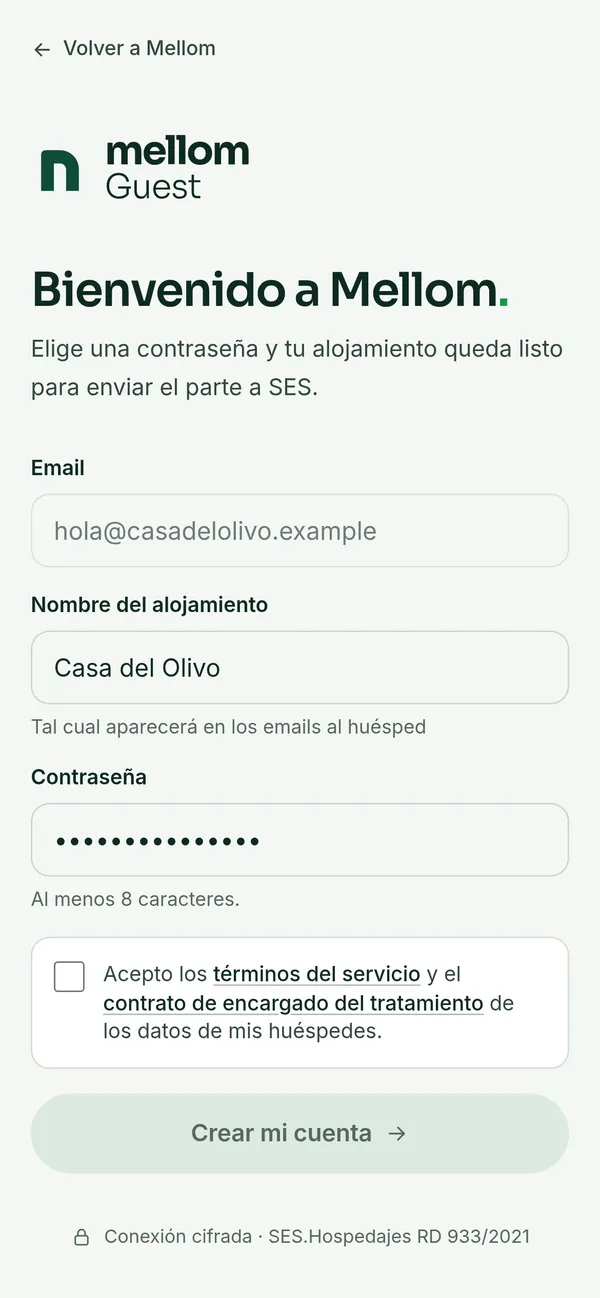
When we set up your account you get an email, “Tu invitación a Mellom”. Open it, choose a password and accept the terms.
The link is valid for 7 days and works only once. Can’t find it? Check your spam folder or write to us.
-
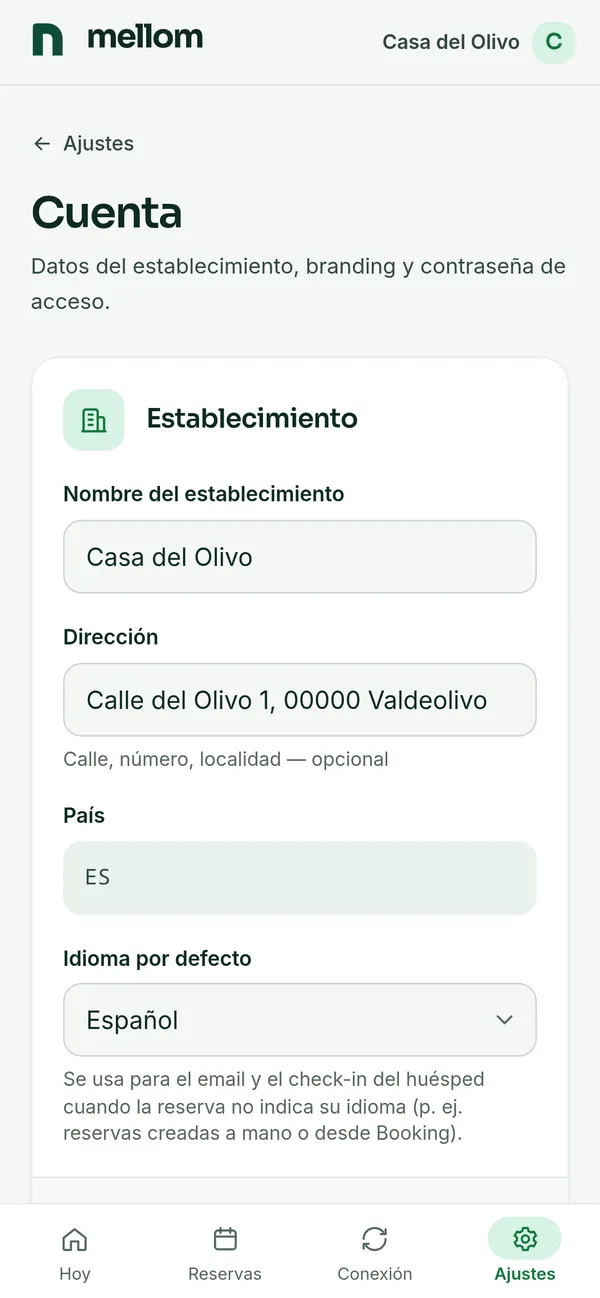
Under “Ajustes” → “Establecimiento” (settings): the name, the address and the default language. Further down, your logo and your contact email. This is what your guest will see.
Your guests’ replies and Mellom’s alerts go to that contact email.
-
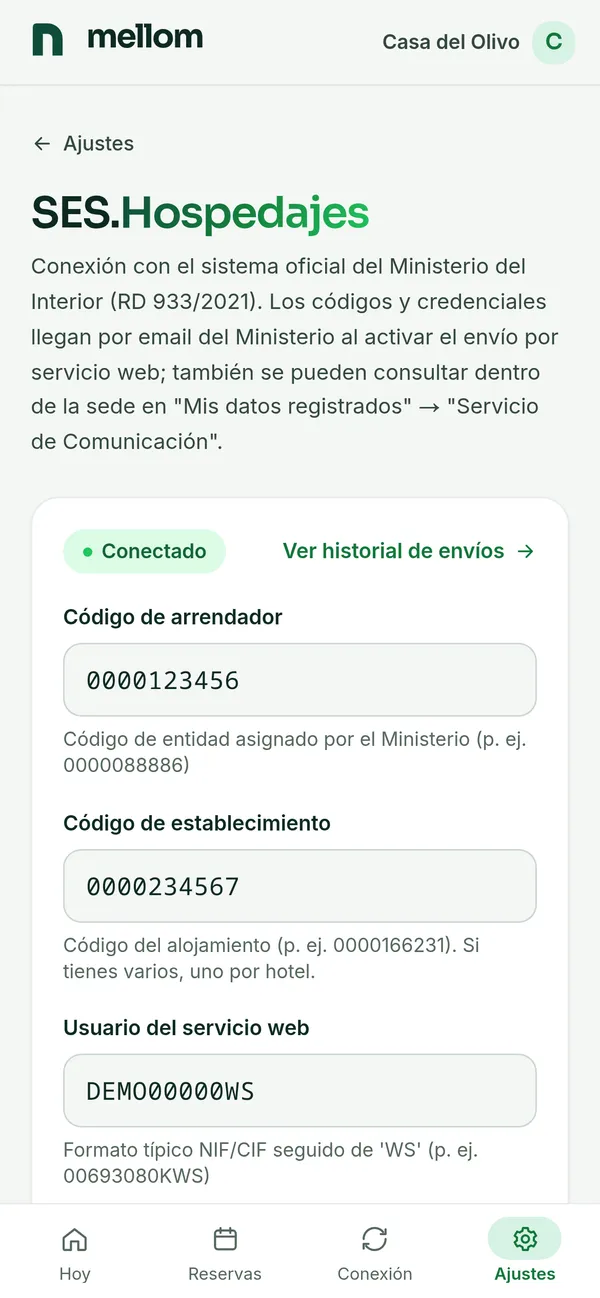
Four details the Spanish Ministry of the Interior gives you: landlord code, establishment code, and the web-service username and password. Save them and press “Probar contra Ministerio” to test the connection.
Then tick “Comunicar también las reservas” (report bookings too). The law requires every booking, and any change or cancellation, to be reported within 24 hours, not just the traveller report; with this on, Mellom does it for you.
Don’t have them to hand? They are on the SES.Hospedajes site, under “Mis datos registrados” → “Servicio de Comunicación”.
-
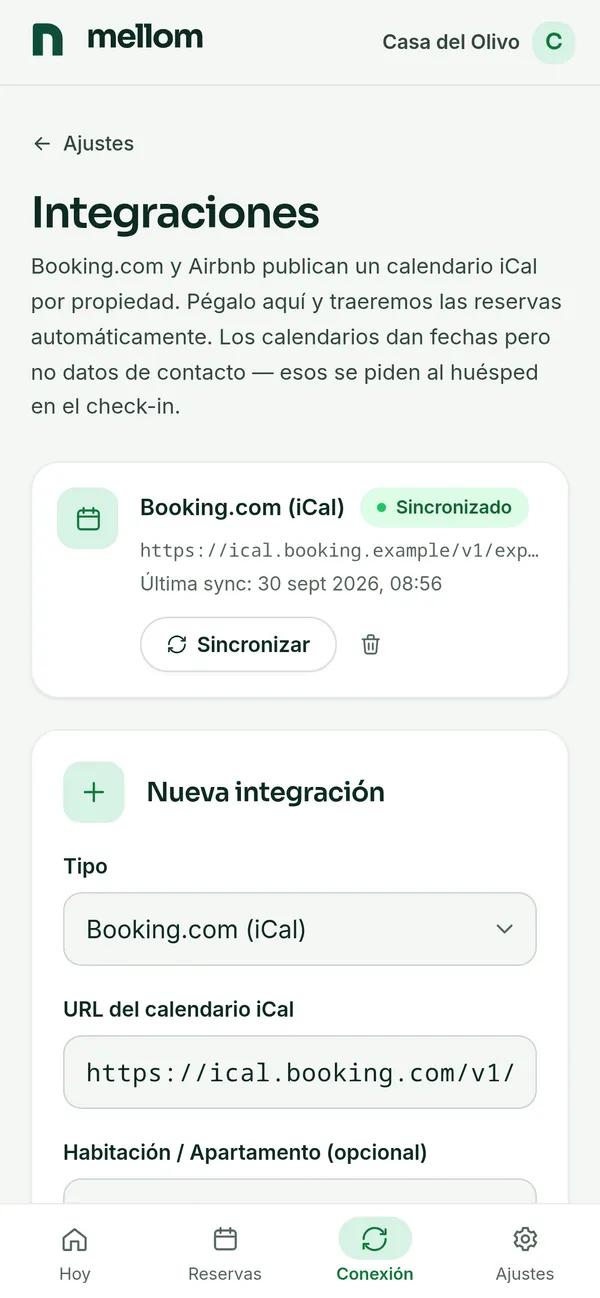
Under “Integraciones”, paste the iCal calendar from Booking, Airbnb or your own website: bookings arrive on their own every 5 minutes. Only a few? Create them with “Nueva reserva”.
Booking and Airbnb give you that link in the calendar sync settings of each listing.
With every booking
-
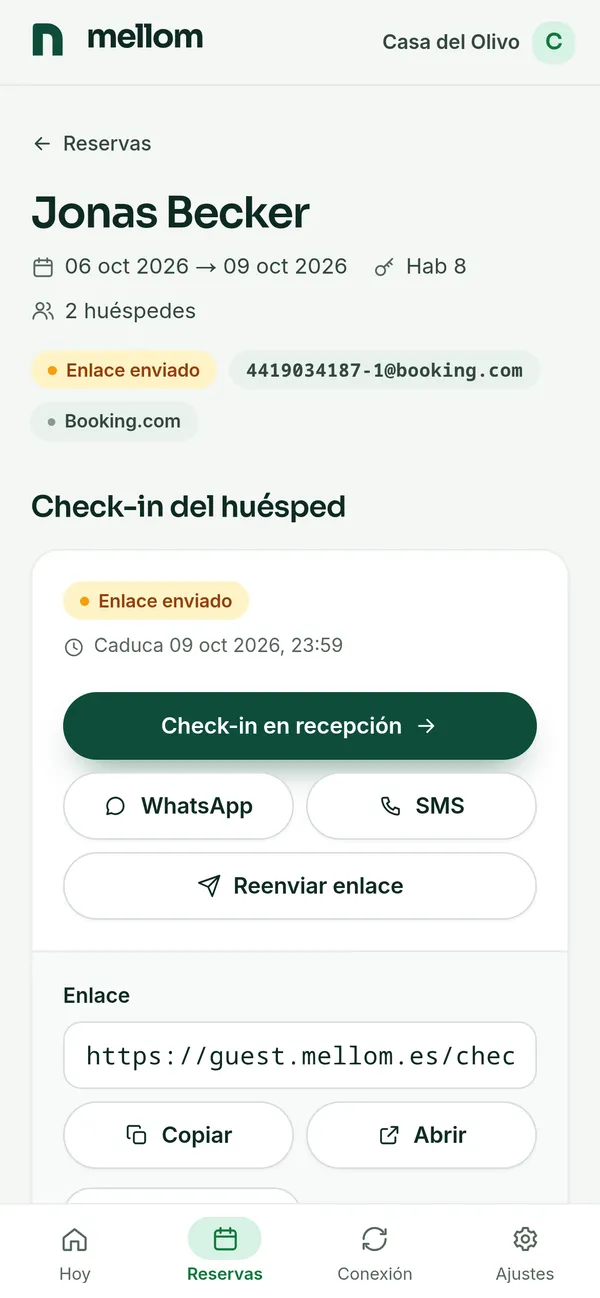
If you create the booking with their email, the link goes out on its own. Bookings from Booking and Airbnb arrive without contact details: open the booking and send the link by WhatsApp or SMS in one tap, or copy the message.
With their email, Mellom reminds them 3 days before arrival and again the day before.
-
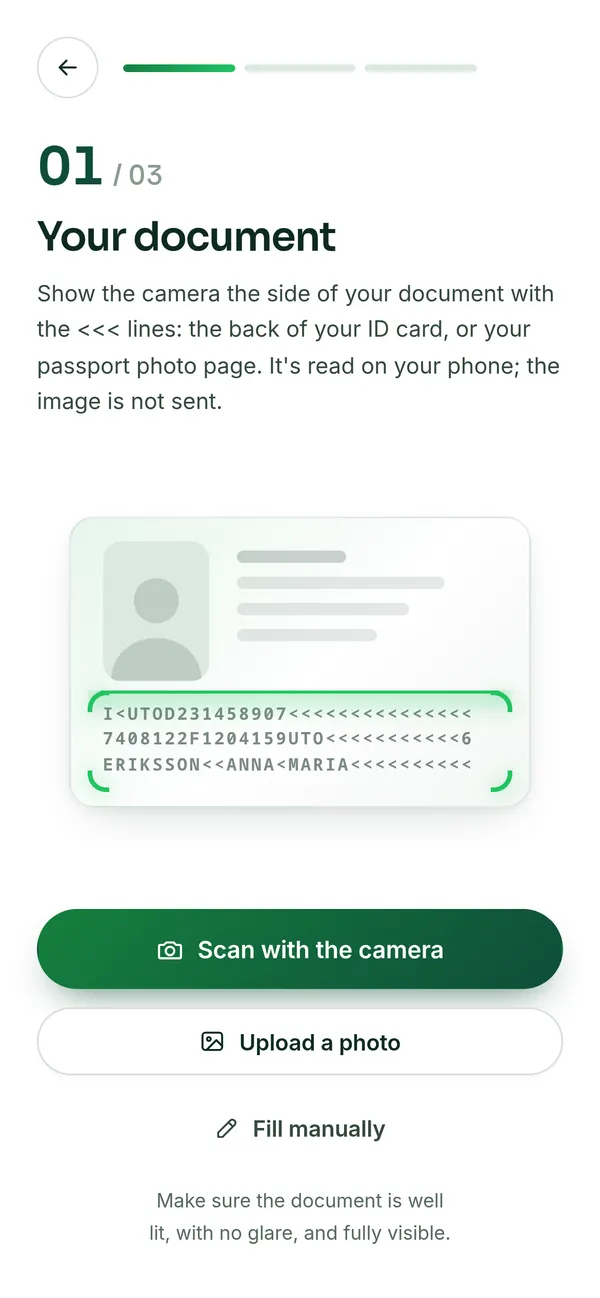
On their own phone and in their language: they scan their document, add whoever is travelling with them and sign. Nothing to install, and the photo of the document never leaves their phone.
Arrived without doing it? Press “Check-in en recepción” on the booking and do it together in a minute.
-
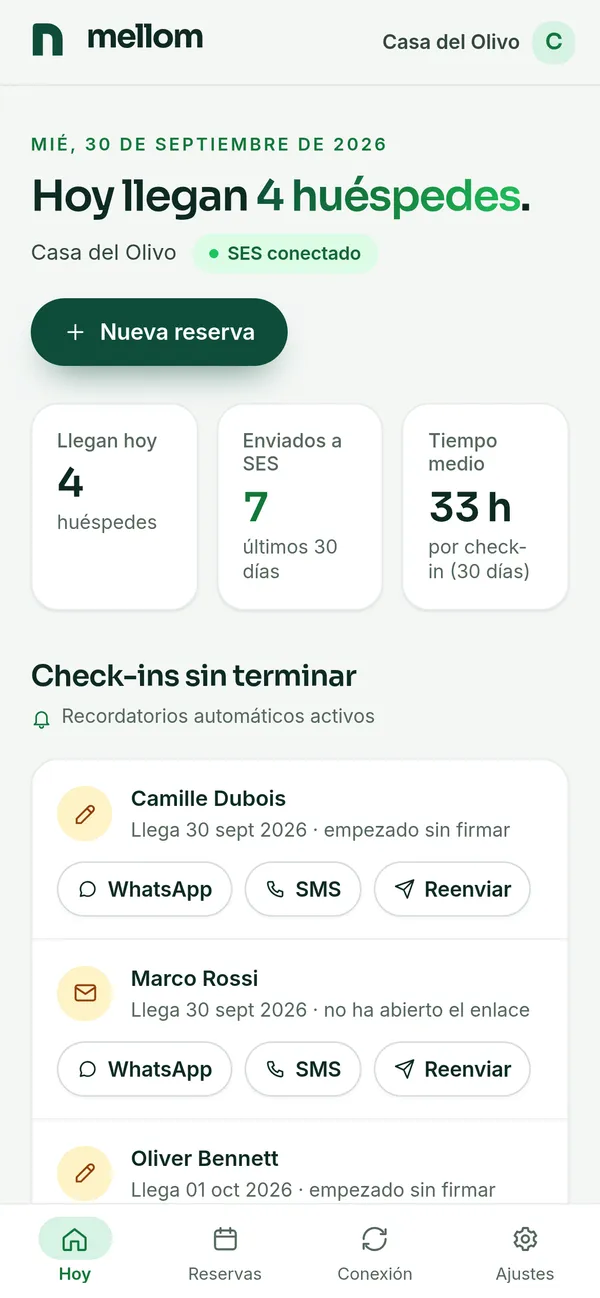
Mellom reports the booking to SES.Hospedajes within minutes —again if it changes, or cancels it if the booking is cancelled— and sends the traveller report when it is due, on the day of arrival at the latest. You see it confirmed under “Hoy” (today) and on each booking. If the Ministry rejects anything, we write to you with the reason.
Every submission is kept under “Registro SES”, with the Ministry’s reply. If a booking has no guest name or no phone or email (bookings from the Booking.com or Airbnb calendar), the booking page tells you: add them and it is reported on its own.
Help
Stuck on a step?
Write to us and we will go through it with you. A person replies, not a chatbot.